
How to Break Up a YouTube Video So You Can Market Like an Expert
- Tori McElwain

- Dec 19, 2025
- 7 min read
Updated: Jan 28
Tori McElwain
Disclaimer: This blog post assumes that you have a few key online business pieces set up, including an email list, a website you own with a blog attached, and a social media presence (a small one is fine!). Blogs are simple to add to most website platforms if you'd like to implement this strategy.
If you’re a quilt business owner running things mostly on your own - a pattern designer, teacher, or service provider - YouTube can feel like the most sustainable place to show up. And it is! The Quilters Survey, presented every year at h+h Americas, showed that YouTube was the number 1 platform quilters turn to when looking up information about quilting in 2025.
You can teach, explain, model, inspire, connect, and you can build trust without dancing for an algorithm. For many quilting solopreneurs, YouTube becomes the main marketing platform - not because it’s trendy, but because it makes sense.
But here’s the difference between using YouTube and using YouTube like a marketing expert:
Experts don’t rely on the one platform alone.

They break up YouTube videos into social media posts and pair it with ways to guide their audience off the platform and on to thier website or email list. One of the easiest and most effective ways to do move your audience off a platform and into your business organically is to blog. You can use a blog to expand your reach beyond one channel - into Google search, AI discovery, email, and the broader online space where business growth happens.
This approach isn’t about growing a YouTube channel for the sake of views or subscribers. It may help increase views and subscribers, but the goal here is to grow your business. Growing and even monetizing the channel is a nice bonus.
If YouTube is your main marketing platform, here are some suggestions on how you work it.
And when I say "work it", I don’t mean posting more videos.
I mean, making every video do more for your business, not more for YouTube.
Pair Every Actionable Video With a Blog Post
Think about the types of videos you already create:
Tips and tricks
Technique tutorials
Guest interviews or hangouts
Quilt-along guidance
Tool walk-throughs
Teaching moments
All of those deserve a blog post.
Not a transcript dump. A useful, structured post that helps someone apply what they just watched.
A great example of this pairing is this quilt border tutorial video:https://youtu.be/xKguYQQB8CQ
Paired with this blog post:https://www.quiltingwithdarla.com/post/adding-borders-how-to-keep-your-quilt-square-and-free-fabric-panel-quilt-pattern-tutorial
The video shows the process. The blog organizes the knowledge and includes a Call to Action to purchase something from you or join your email list.
This written layer:
Breaks steps into scannable sections
Uses the words quilters are already searching
Gives AI Search tools something to understand and demonstrates your authority
Let someone come back later and find exactly what they need (they're going to love that!)
Invites subscribers (and non-subscribers) into your world and into your business
This is how your content keeps working for you after the video stops getting the first push of views.
Create a blog post for every long form video. Not some of them. Not eventually. Most of them. Ideally, all of them.
Because the blog is what:
Boosts your visibility beyond YouTube
Supports different learning styles
Shows up in Google and AI search
Pulls people out of the platform and into your world
Yes, the last two are repeated because of how important they are.

A Suggestion for Ongoing Projects, Updates, and Quilt-Alongs
Not every video needs its own brand-new blog post.
But every ongoing project can have one living blog post that you update over time.
This can include projects like:
Quilt-alongs
Long-term projects (like hand quilting/piecing or that WIP that you get out twice a year to work on but haven't finished yet!)
Series updates
Behind-the-scenes content, like a sewing room makeover
Subscription boxes (many YouTubers use advent calanders for content)
Create one blog post that acts like a project diary, and update it every time you publish a new video.
Inside that post, you can have small sections or chapters, even so you can:
Add links to each new video (or embed it!)
List tools, fabric, or supplies
Include affiliate links
Share kit information
Answer common questions
Keep everything in one easy-to-find place
This does three powerful things:
It invites people to your site
It gives you one strong SEO page instead of scattered posts
It becomes a hub you can link to over and over again
Publish the Blog Post and Video at the Same Time
Experts don’t treat blogs as an afterthought. The blog and the video go live together.
Why?
The blog post is there to anchor and support your audience.
Your audience will start to expect a blog post (which is a great thing)
The blog supports SEO (search engine optimization) and AI discovery, learn more about that here.
In turn, the video helps you develop trust and adds to visual learning.
Plus, every social post, email, or short-form video will now have somewhere you can point your audience to that can lead them to your email list.
With this combination of blog and video, you will have long-form content you can break up into posts for different social media platforms. You’re not asking, “What do I post today?”You already know.

Set Up Your YouTube Channel to Support This System
Before you even hit upload, your channel should be working for you.
Create a Channel Intro Video
I have seen this one video used in many ways. This can be an important bridge for your YouTube Subscribers (or non-subscribers) to become leads or clients. This video lives on your YouTube Channel, and I'd suggest including:
Your name and business name
A little about who you are
What they can expect from your channel
and how to dive deeper with you (aka learn more, get their quilt top quilted by you, or you can just mention your blog).
Keep it short 3 (ish) minutes and keep it updated as you grow and change your content or your business.
Create a Static Video Description
In YouTube settings, create a default description that appears on every video.
Include:
Your most helpful blog posts (with your YouTube videos in them!)
A lead magnet, shop, or evergreen course
For longarmers: how to connect or send in a quilt
Be sure to include a general channel description with broad keywords that apply to every video:
quilt
quilting
quilt tutorial
plus your primary technique
More advanced businesses can include 3–5 evergreen links and remove what doesn’t apply before publishing.
Always Put the Blog Link First
The companion blog post should be the first link in the description.
And say it in the video:
“The full breakdown is linked below on my blog.”
Repetition helps your audience know where to go wether they are watching one of your videos for the first time or the 20th time.
Break the Video and Blog Into a Week (or two) of Content
As I mentioned before, once your video and blog exist, repurposing becomes simple.
Pull 3–5 anchors from the video:
Key lessons
Common mistakes
One-step improvements
Then create:
A Carousel (one idea per slide)
Reels or Shorts (quick demonstrations or snippets from the video itself)
Static posts (quotes or tips)
A summary for your newsletter that links back to the blog
One video and one blog turns into almost two weeks of marketing.
Interviews Work the Same Way (And Sometimes Even Better)
Interview videos should always have a blog companion.
This interview video:https://youtu.be/rqJSIJ1NL8w
Paired with this blog post:https://www.thequiltpatchbytori.com/post/quilting-with-african-wax-print-fabrics
The blog allows you to:
Pull out quotable insights
Highlight themes
Create searchable content
Support readers who don’t want to rewatch an hour-long video
Turn an interview into a collaboration where you become a source of authority and the guest may get new audience members.
Also, interviews are rich in natural language, which is great for AI search.
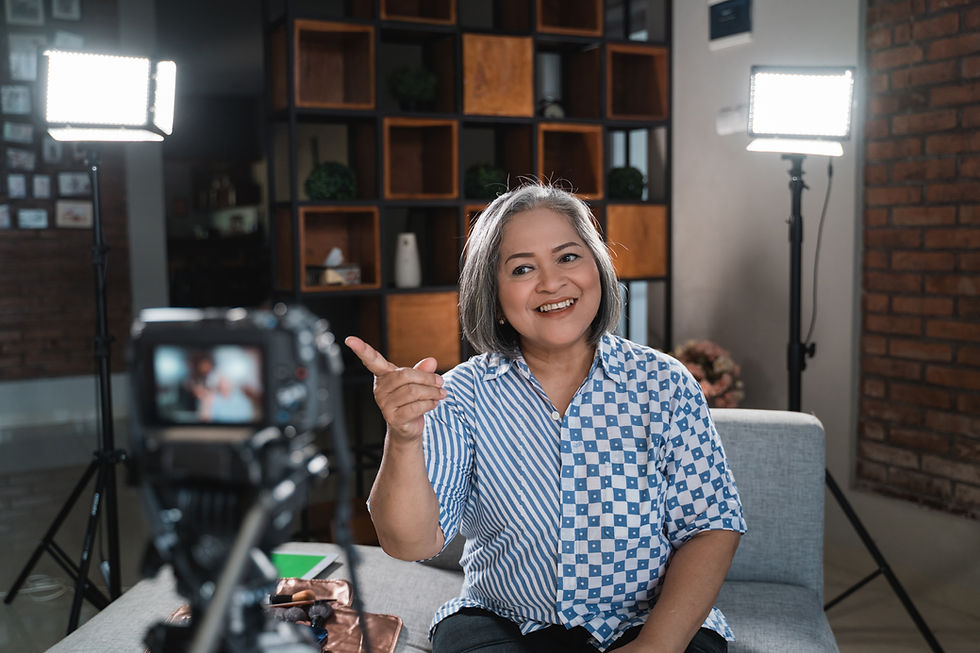
My Favorite Software for Recording: Riverside
I use Riverside for both my podcast (Quilting on the Side) and my YouTube channel:https://www.youtube.com/@heytori.tech2
Why it fits this workflow:
High-quality recordings
Easy editing
Easy exports
Transcripts that speed up blog writing
It breaks up my videos into short-form videos for me (and grades them!)
It removes friction - and friction is what kills consistency.
You are a Business, Don't be Afraid to Act Like It
We're not out here making a ton of infomercials, you're providing entertainment, inspiration, education, experience, and stories, and it's okay to let your audience know where they can learn the most from you (in your paid workshops), or get their quilts done by you (to fill out the form on your website), or get ot be in the room with you and thier online community (bring them into your membership or live sew and chats).
In short, if YouTube is your main marketing platform, then:
Work it.
Build the blog.
Link everything.
Pull people into your world.
Let one video do more than one job.
That’s marketing like an expert.
Want Help Building This System?
If you want help applying this to your own YouTube content, I offer a free 30-minute strategy call where we’ll:
Look at one of your videos
Identify blog and repurposing opportunities
Map a realistic content system
Talk through next steps for your business
This is the same approach I teach inside the Digital Marketing Magic Coaching (DMMC) program - where quilters, teachers, and longarmers build sustainable marketing systems that don’t rely on constant posting.
Tori McElwain of Hey, Tori!

Tori McElwain is a quilter, educator, and digital marketing strategist passionate about helping creatives grow their businesses online - without the burnout. She’s the author of Workshops Unleashed and founder of the Digital Marketing Magic Coaching Program (DMMC), where she teaches quilters and craft educators how to simplify content, boost engagement, and sell their offers with confidence. From Facebook ads to Reels hooks, she brings an educator’s heart to every tech tool she teaches. Learn more at HeyTori.tech.


Comments